Player guide
How to play Orbit Dash
Orbit Dash is built around one main action: reverse direction at the right time. The game is easy to start, but the challenge comes from reading hazards, choosing when to risk a pickup, and staying calm as the run gets faster.
1. Tap to launch
Start a run from the game screen. On mobile, tap the screen. On desktop, click or use the keyboard controls shown in the game.
2. Reverse your orbit
Every tap changes your direction around the orbit. Timing matters more than speed. Reverse too early and the next shard may catch you. Reverse too late and the current one will hit.
3. Avoid red shards
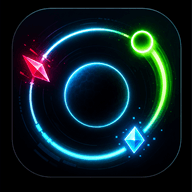
Red shards are hazards. They move into the play area and end the run if they hit the player. Watch the orbit path and plan the next direction change before the danger reaches you.
4. Collect blue energy
Blue pickups give extra score and help make each run feel more active. They are optional, but strong runs usually combine safe movement with smart pickup routes.
5. Chase your best score
The score grows as you survive and collect energy. Runs are short by design, so restarting after a mistake is part of the loop.
How scoring works
Orbit Dash rewards the same skill in a few different ways: staying alive, taking smart energy routes, and recognizing when a close dodge is worth the risk. A strong run usually starts safe, then becomes more aggressive after the player has settled into the pattern.
Survival score
Your score grows while the run continues. Longer survival matters because later levels ask you to react sooner and read more of the circle at once.
Energy score
Blue energy adds extra points. Good players collect it when the exit path is clear instead of chasing it through a dangerous shard pattern.
Close dodge pressure
Near misses can reward confident movement, but they are not required for beginners. Learn safe reversals first, then start adding risk once the rhythm feels natural.
Extra game systems
Continue once
After losing, the game can offer one continue. It gives players one second chance, then resumes with a short shield without changing the basic challenge.
Leaderboard
The leaderboard stores best runs using a generated player name or a saved display name. No account is required.
Skins
Skins change the visual style of the player. They are cosmetic and do not make the game easier.
Daily missions
Daily missions give players small goals, such as reaching a score target or playing a number of runs. They reset based on the player's local day.
Common beginner mistakes
Tapping repeatedly instead of choosing one clean reversal.
Following a blue pickup into a red shard path.
Watching only the player instead of scanning the whole orbit.
Using the continue immediately without noticing what caused the loss.
Quick beginner advice
Do not chase every pickup. In early runs, focus on avoiding red shards and learning the rhythm. Once survival feels natural, start taking more risks for blue energy and close dodges.
Play now